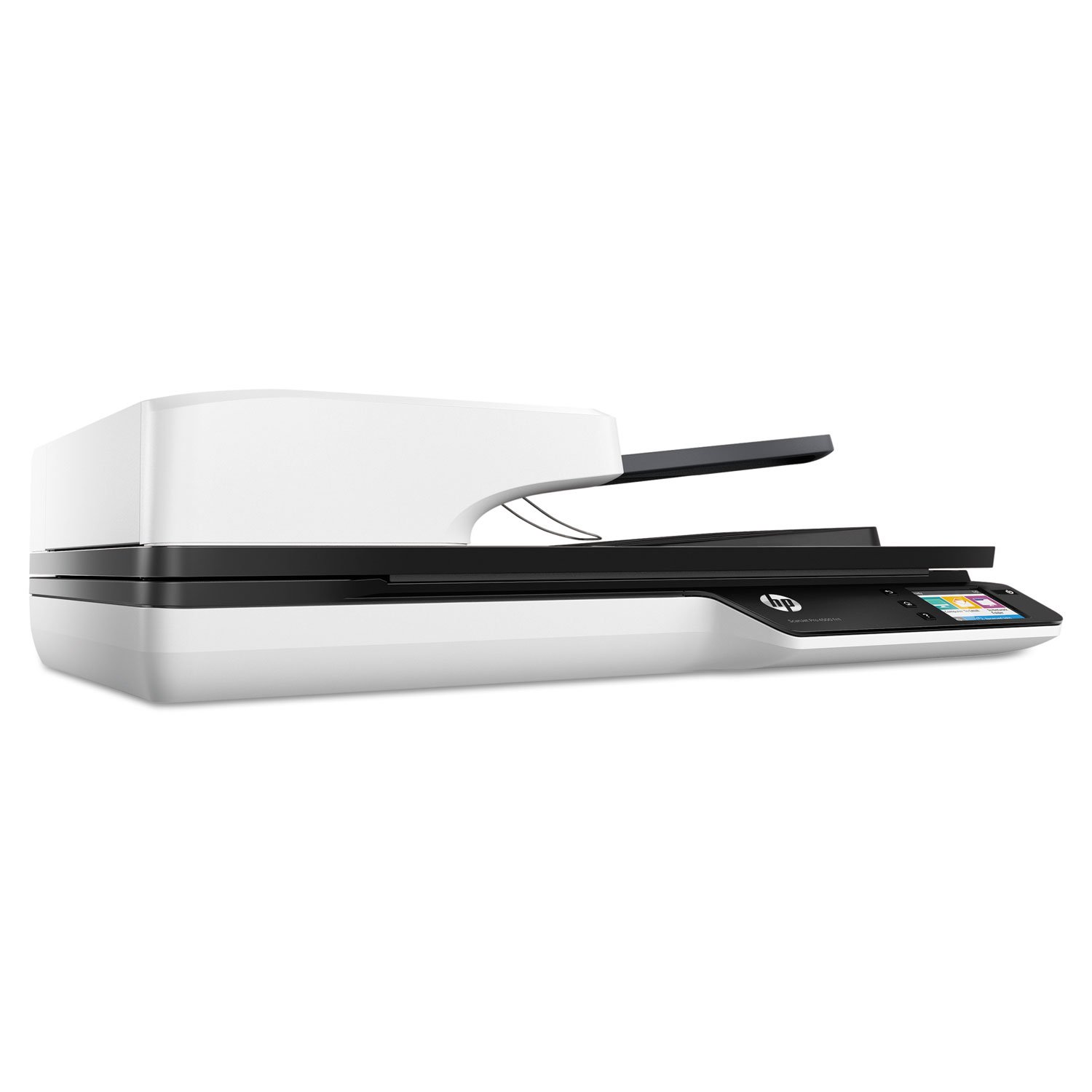
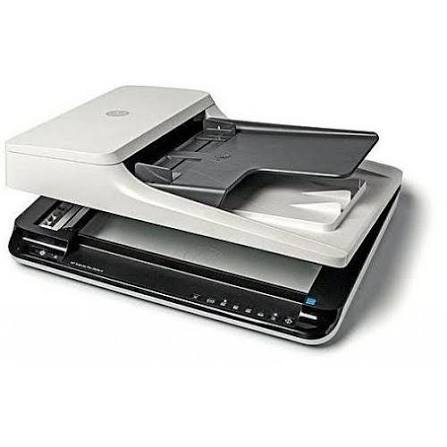
HP ScanJet Pro 4500 fn1 Network Scanner (L2749A)
The HP ScanJet Pro 4500 fn1 shares fast, two-sided scanning with an entire workgroup. Moreover, it scans up to 30 pages per minute and sends files straight from its touchscreen. As a result, busy teams capture and share documents without waiting for a free computer.
Gigabit Ethernet, Wi-Fi, and Wi-Fi Direct give flexible ways to connect. Furthermore, a 50-page feeder and flatbed glass handle almost any original. Therefore, one compact desktop unit replaces several separate steps.
In addition, built-in image cleanup tools improve every page automatically. Consequently, scans come out straight, clear, and ready to file.
One Scanner for the Whole Workgroup
Shared scanners usually mean queues at one computer. Therefore, a network model changes daily routines. Moreover, anyone on the network can scan without installing server software. As a result, teams save time and avoid crowding around a single desk. Additionally, the scanner suits recommended daily loads of up to 4,000 pages.
Why the HP ScanJet Pro 4500 fn1 Anchors Busy Offices
Busy offices need speed, flexibility, and clean output. Therefore, this scanner brings all three together. Moreover, simple controls help new users learn quickly.
Fast Duplex Scanning With a 50-Page Feeder
The feeder reaches up to 30 ppm or 60 ipm. Furthermore, single-pass duplex scanning reads both sides of every sheet at once. In addition, the feeder holds 50 sheets and accepts paper weights from 45 to 120 g/m2. Consequently, mixed batches of letters and invoices load without fuss. Meanwhile, multi-feed detection stops double-fed pages before they cause errors.
Flatbed for Larger Originals
The flatbed glass scans documents up to 216 x 356 mm. Therefore, legal-size pages and bound materials fit comfortably. Moreover, resolution reaches 1200 dpi for fine detail. As a result, photos, certificates, and delicate papers keep their quality.
Smart Image Cleanup
Automatic tools tidy each scan. For example, the scanner straightens crooked pages and detects page size. Likewise, it removes blank pages and smooths backgrounds. In addition, auto orient, edge erase, and hole fill refine the final image. Consequently, staff spend far less time editing files.
Network Scanning Without a Computer
Network scanning frees teams from desktop dependence. Therefore, this model puts controls on the device itself.
Touchscreen Control
A 2.8-inch touchscreen guides every scan. Moreover, front-panel options save files as PDF or JPEG with a single press. Furthermore, you can email scans, send them to the cloud, or save editable text through OCR. As a result, routine tasks become one-touch actions.
Gigabit Ethernet and Wi-Fi
Built-in Gigabit Ethernet sends scans to email, network folders, or a PC. The IEEE develops the 802.3ab standard behind gigabit copper networking. Therefore, large files move across the office quickly. Additionally, Wi-Fi 802.11 b/g/n gives wireless flexibility where cables cannot reach.
Scanning to Mobile Devices
Wi-Fi Direct lets phones and tablets connect to the scanner without a router. The Wi-Fi Alliance explains how this peer-to-peer connection works. Moreover, the HP JetAdvantage Capture app sends scans to mobile devices for editing and saving. Consequently, field staff and visitors capture documents without joining the main network.
Security for Shared Scanning
Shared devices need sensible protection. Therefore, the embedded web server uses password protection. Moreover, PDF permissions help control who can open or edit files. Additionally, network security protocols guard scans in transit. As a result, sensitive documents stay safer during everyday sharing.
HP ScanJet Pro 4500 fn1 Technical Specifications
The list below summarises the main hardware details.
- Brand: HP
- Model: ScanJet Pro 4500 fn1 Network Scanner
- Part number: L2749A
- Device type: Network flatbed and ADF scanner
- ADF scan speed: Up to 30 ppm and 60 ipm
- Duplex scanning: Single pass
- ADF capacity: 50 sheets (75 g/m2 paper)
- ADF paper weight: 45 to 120 g/m2
- Recommended daily duty cycle: 4,000 pages (ADF) and 100 pages (flatbed)
- Optical resolution: Up to 600 dpi (ADF) and up to 1200 dpi (flatbed)
- Sensor: CMOS CIS with LED light source
- Colour depth: 48-bit internal and 24-bit external
- Grayscale: 256 levels
- Maximum scan size: 216 x 356 mm (flatbed) and 216 x 3100 mm (ADF)
- Minimum ADF size: 105 x 148 mm
- Media types: Plain paper, cardstock, envelopes, labels, and photo paper
- File formats: PDF, searchable PDF, JPEG, PNG, BMP, TIFF, TXT, and RTF
- Display: 2.8-inch touchscreen
- Connectivity: USB 2.0, USB 3.0, Gigabit Ethernet, Wi-Fi 802.11 b/g/n, and Wi-Fi Direct
- Digital sending: Email, network folders, PC, and cloud
- Multi-feed detection: Yes
- Security: Password-protected embedded web server
- Software and drivers: HP Scan, HP Easy Scan, HP Scanner Tools Utility, TWAIN, WIA, and I.R.I.S. OCR
For full product details, visit the HP website.
Practical Use Cases
HP ScanJet Pro 4500 fn1 for Shared Workgroups
Workgroups need one scanner that everyone can reach. Therefore, network scanning removes the need for a dedicated computer. Moreover, each user picks a destination on the touchscreen. For example, accounts staff scan to a network folder while managers scan to email. Consequently, documents reach the right place without extra steps.
Records and Document Archiving
Paper archives eat into valuable office space. Therefore, scanning them frees cabinets and shelves. Likewise, teams can keep digital copies on dependable storage devices for safe keeping. Furthermore, a 4,000-page daily duty cycle handles large archive projects. As a result, long backlogs shrink steadily.
OCR and Document Workflows
Searchable files save hours of manual searching. In that case, the scanner’s OCR options turn paper into editable text. Moreover, document management softwares sort and tag those files automatically. Consequently, teams find contracts and invoices in seconds. Additionally, merge pages and document separation tools keep batches organised.
Clinics, Legal, and Accounting Offices
Clinics, law firms, and accountants handle large volumes of forms and statements. Therefore, fast duplex scanning shortens busy filing seasons. Furthermore, PDF permissions and password-protected access protect confidential records. As a result, professional offices combine speed with sensible privacy.
HP ScanJet Pro 4500 fn1 Compatibility
This scanner works with mainstream computers, networks, and mobile devices. Moreover, it connects through USB, Ethernet, or wireless links. Therefore, most offices can add it to their existing setup quickly.
Windows Computers
Windows systems use HP Scan, WIA, and TWAIN drivers. Likewise, many accounting and archiving programs accept scans directly. Additionally, Microsoft documents how Windows manages imaging devices through WIA.
Mac Computers and Mobile Devices
Mac users scan through HP Easy Scan or the ICA framework. Furthermore, TWAIN support covers many third-party applications. Meanwhile, the HP JetAdvantage Capture app serves phones and tablets. Therefore, mixed-device offices share one scanner easily.
Network Environments
The scanner joins wired and wireless networks and works with shared folders and email. Moreover, you can extend wired coverage with other networking products such as switches and routers. Therefore, larger offices can keep the scanner connected from any floor. Additionally, the destination PC must run the HP software on the same network.
Quality Standards You Can Rely On
Customers trust Aiconic Computers for office equipment that meets recognised standards. This scanner supports Gigabit Ethernet, Wi-Fi 802.11 b/g/n, WIA, and TWAIN standards, so it fits professional networks. Furthermore, its 4,000-page duty cycle and multi-feed detection reflect solid build quality. We stand behind product quality fully. In addition, we process orders quickly, so customers receive their products promptly. As a result, busy workgroups can start sharing scans without long waits.




 Boda delivery

 Boda delivery
 Countrywide delivery
 Warranty 1 year
 Free 48 Hrs Returns




Reviews
Clear filtersThere are no reviews yet.