HP DeskJet Ink Advantage 2975 Wireless All-in-One Printer
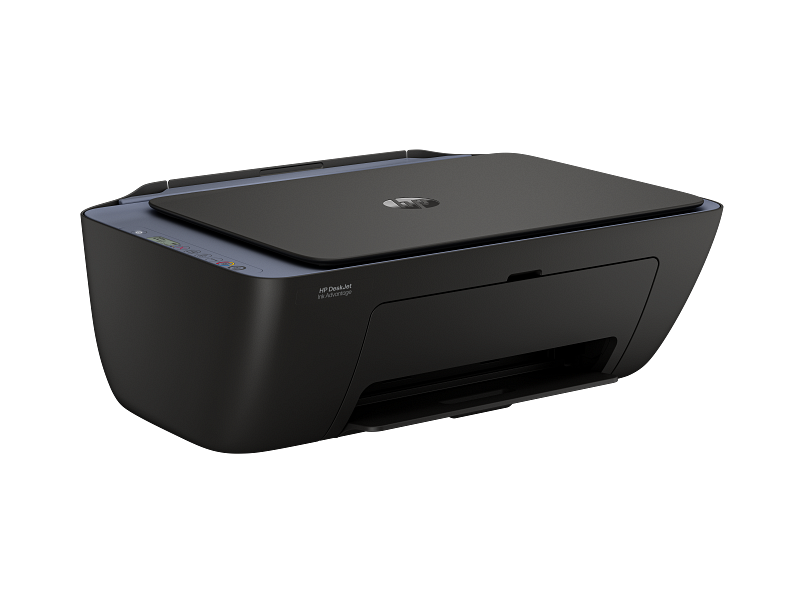
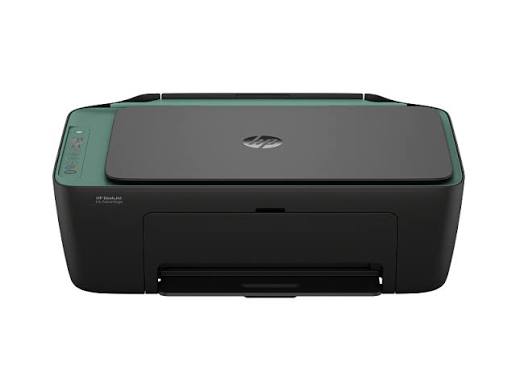
The HP DeskJet Ink Advantage 2975 combines printing, copying, and scanning in a space-saving body. Moreover, it connects wirelessly to computers, phones, and tablets. As a result, students and families share one device without tangled cables.
Dual-band Wi-Fi reconnects automatically after a dropout. Furthermore, the HP Smart app guides wireless setup and everyday tasks. Therefore, even first-time printer owners start working quickly.
In addition, a 60-sheet input tray reduces how often you reload paper. Consequently, daily homework and household paperwork flow smoothly.
Compact Convenience for Everyday Printing
Small rooms rarely have space for three separate machines. Therefore, an all-in-one printer makes practical sense. Moreover, one power cord and one wireless connection replace a pile of equipment. As a result, desks and shelves stay uncluttered. Additionally, the compact body suits dorm rooms, study corners, and small shops.
Why the HP DeskJet Ink Advantage 2975 Works for Busy Households
Households print documents in short, frequent bursts. Therefore, this printer focuses on simple, dependable everyday output. Moreover, HP recommends 50 to 100 pages per month for the best performance.
Print Quality for Daily Documents
Black text prints at up to 1200 x 1200 dpi. Likewise, colour graphics reach up to 4800 x 1200 optimised dpi. Therefore, reports, recipes, and school posters look clear and bright. In addition, ISO speeds reach 7.5 ppm in black and 5.5 ppm in colour. Consequently, short documents finish in moments.
Copy and Scan in One Body
A built-in scanner turns paper into digital files. Furthermore, optical scan resolution reaches 1200 dpi. As a result, forms, receipts, and certificates keep fine detail. Meanwhile, copying works straight from the control panel without a computer. Therefore, quick duplicates take only a few button presses.
Practical Paper Trays
A 60-sheet input tray holds enough paper for a busy week. Moreover, a 25-sheet output tray collects finished pages neatly. Additionally, manual duplex printing lets you print on both sides when needed. Consequently, households save paper on longer documents.
Wireless Setup Made Simple
Simple connections matter most for casual users. Therefore, this printer pairs easy wireless options with a direct USB port.
Self-Healing Dual-Band Wi-Fi
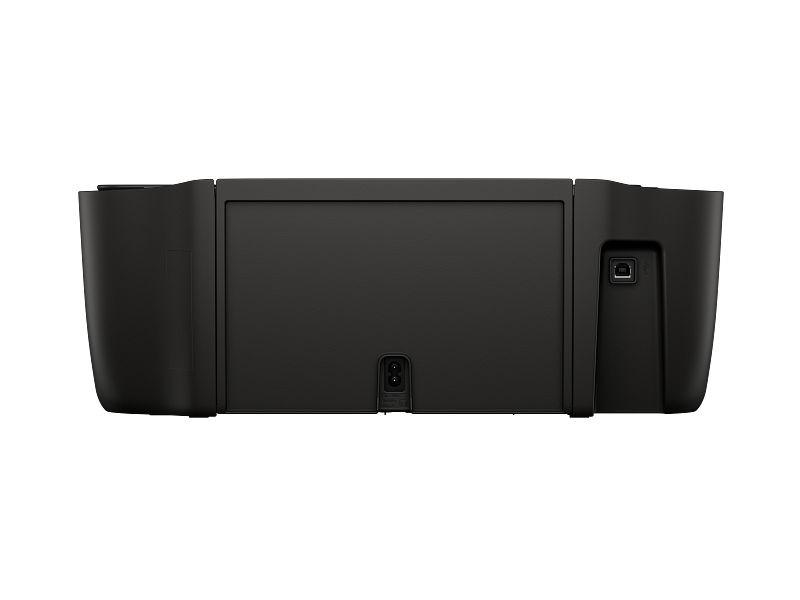
The printer works on both 2.4 GHz and 5 GHz networks. Furthermore, self-healing Wi-Fi reconnects automatically when the signal drops. As a result, print jobs reach the printer with fewer interruptions. Meanwhile, Hi-Speed USB 2.0 offers a stable direct link to a single computer.
HP Smart App Convenience
The HP Smart app guides wireless setup from a phone. Moreover, it prints, scans, and copies from the same screen. Therefore, users can manage everyday tasks without extra software. Additionally, the app helps check ink levels and printer status.
Mobile Printing Standards
Apple AirPrint supports printing from iPhones and iPads. Similarly, Mopria certification enables simple printing from many Android devices. In addition, the HP Print Service Plugin adds another Android option. Consequently, family members print from their own devices without installing extra drivers.
HP DeskJet Ink Advantage 2975 Technical Specifications
The list below summarises the main hardware details.
- Brand: HP
- Model: DeskJet Ink Advantage 2975 All-in-One
- Functions: Print, copy, and scan
- Print technology: HP thermal inkjet
- Print speed (ISO, black): Up to 7.5 ppm
- Print speed (ISO, colour): Up to 5.5 ppm
- Print resolution: Up to 1200 x 1200 dpi black and up to 4800 x 1200 optimised dpi colour
- Duplex printing: Manual
- Monthly duty cycle: Up to 1,000 pages
- Recommended monthly volume: 50 to 100 pages
- Memory: 64 MB DDR1
- Input tray: 60 sheets
- Output tray: 25 sheets
- Scan resolution: Up to 1200 dpi optical
- Connectivity: Hi-Speed USB 2.0 and dual-band Wi-Fi
- Wi-Fi bands: 2.4 GHz and 5 GHz
- Mobile printing: HP Smart app, Apple AirPrint, Mopria, and HP Print Service Plugin
- Cartridges: HP 654 black and tri-colour
- Cartridge security: Dynamic security enabled
- Operating systems: Windows and macOS
For full product details, visit the HP website.
Practical Use Cases
HP DeskJet Ink Advantage 2975 for Students and Schoolwork
Students print assignments, notes, and project posters at home. Therefore, colour support helps diagrams and charts stand out. Moreover, tablets connect through the HP Smart app for quick wireless printing. Consequently, homework no longer waits for a free computer. Additionally, the scanner captures textbook pages and signed forms.
Home Offices and Remote Workers
Remote workers print contracts, invoices, and forms at their own desks. Likewise, a family desktop connects through USB or Wi-Fi with ease. Furthermore, scanning signed documents takes seconds. Therefore, the printer handles light office work without extra equipment.
Small Offices and Shops
Small shops often print receipts, notices, and the occasional flyer. In that case, a compact all-in-one saves counter space. However, heavier workloads need a higher duty cycle. Therefore, browse our wider range of printers for busier workplaces. Meanwhile, this model suits steady, light-volume tasks well.
Families and Creative Projects
Families print recipes, travel plans, and craft templates. Therefore, colour output makes hobby projects more fun. Moreover, copying important papers requires no computer at all. As a result, everyone in the household finds a use for it.
HP DeskJet Ink Advantage 2975 Compatibility
This printer works with popular computers, phones, and home networks. Moreover, it connects through USB or Wi-Fi. Therefore, most households can add it to their existing setup quickly.
Windows Computers
The printer works with Windows computers through HP software and standard drivers. Likewise, wireless connections let several Windows PCs share the same device. Additionally, Microsoft publishes helpful guidance on adding and managing printers in Windows.
Apple and Android Devices
Mac computers print through the HP software and AirPrint technology. Meanwhile, Apple designs macOS to discover compatible wireless printers on the same network. Furthermore, Android devices use Mopria support or the HP Print Service Plugin. Therefore, every phone and tablet in the home can print.
Ink Cartridges
This printer uses HP 654 cartridges, with one black and one tri-colour cartridge. Moreover, it uses dynamic security, so it works with cartridges carrying original HP electronic circuitry. Therefore, choose supplies that match these requirements.
Quality Standards You Can Rely On
Customers trust Aiconic Computers for printers that meet recognised standards. This model supports dual-band Wi-Fi, Apple AirPrint, and Mopria, so it works with many everyday devices. Furthermore, its self-healing connection and HP Smart app reflect thoughtful design. We stand behind product quality fully. In addition, we process orders quickly, so customers receive their products promptly. As a result, students and families can start printing without long waits.




 Boda delivery








Reviews
Clear filtersThere are no reviews yet.